


 In a previous how-to article, we showed you how you can hide a Facebook status updates from a friend or family member (also pages) in your News Feed.
Hiding the updates is great if you just want to tune someone out with out looking like a bad person and un-friending them (they have no idea you did this).
And while you are glad you did it in a stealthy manner, you now have decided you want their status updates to be unhidden in your news feed once again.
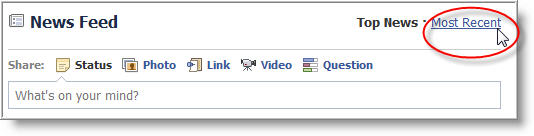
To do this, just go to your Facebook newsfeed and click on the Most Recent link at the top right of the news feed section.
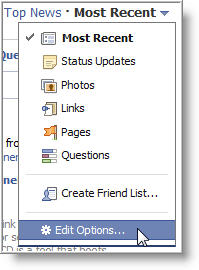
A upside down arrow will appear and by clicking on it, a drop down menu will display allowing you to select the Edit Options… at the bottom of the list.
Here you will see a list of any friends or family members that you have hidden for their posts (status updates).
To unhide their updates, just click on the "X" next their name and click Save.
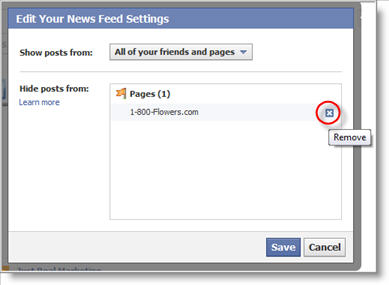
Their updates will now be unhidden.
Take note that any updates that were previously posted by your friend may not appear, but future updates will begin to appear in your news feed as they become available.

Leave a Comment