



 Ever have a need to perform a quick search for a particular sender or an email that is related to the same subject (thread) you're currently reading from a message in Yahoo?
If you answer yes, you can quickly run a search with one click to find messages from an open email message or in the preview pane with out needing to use the Search box.
To perform a quick search in Yahoo mail, log onto your your mailbox and click on your inbox.
If you use the preview pane, just click on a message , then in the preview pane mouse over the Subject field or From address and click on it. In the screen shot below I want to search for all messages from the sender named WatchingTheNet.
NOTE: If you do not use the preview pane, just open the message and click on the Subject or Sender name.
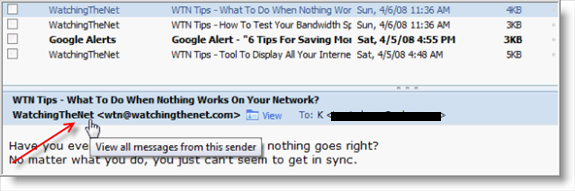
Yahoo Mail will search for all message from the sender and display the results as shown below.
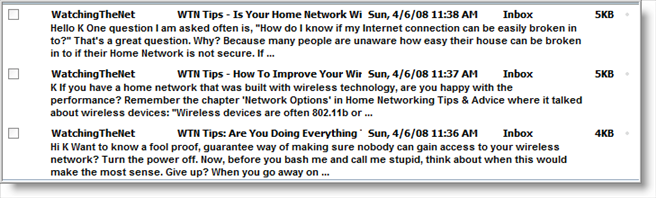
If you have searched by Subject, Yahoo! Mail displays a list of all the messages in your mail folders with the same subject.
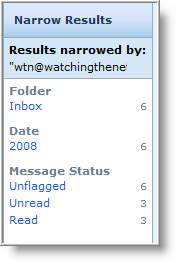
To further help you, notice to the right of the search results a search summary is divided into several categories that organize them by sender, folder, date (year), attachment type, and message status. Within each category is a list of all the options for that category in the current search results, with a count next to each showing the number of messages for that option.
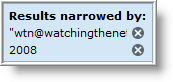
After clicking on a folder, if f the search becomes too narrow to be useful, you can eliminate a narrowing option by clicking the gray circle with an X (Omit search criteria icon) next to it in the Results narrowed section.
Using Yahoo's Mail quick search is a great way to display messages of the same subject (thread) or sender, even when you have your mailbox organized and use folders.
Want more great tips? Join Watching The Net newsletter and get a free Home Networking guide. Just sign up here.

Leave a Comment